Gear · Fighting-game guide
Will an arcade stick make you faster? Buy for your habits
Sticks, leverless boards and pads send the same intentions through different hand movements. Test compatibility, comfort and upkeep before paying for a new layout.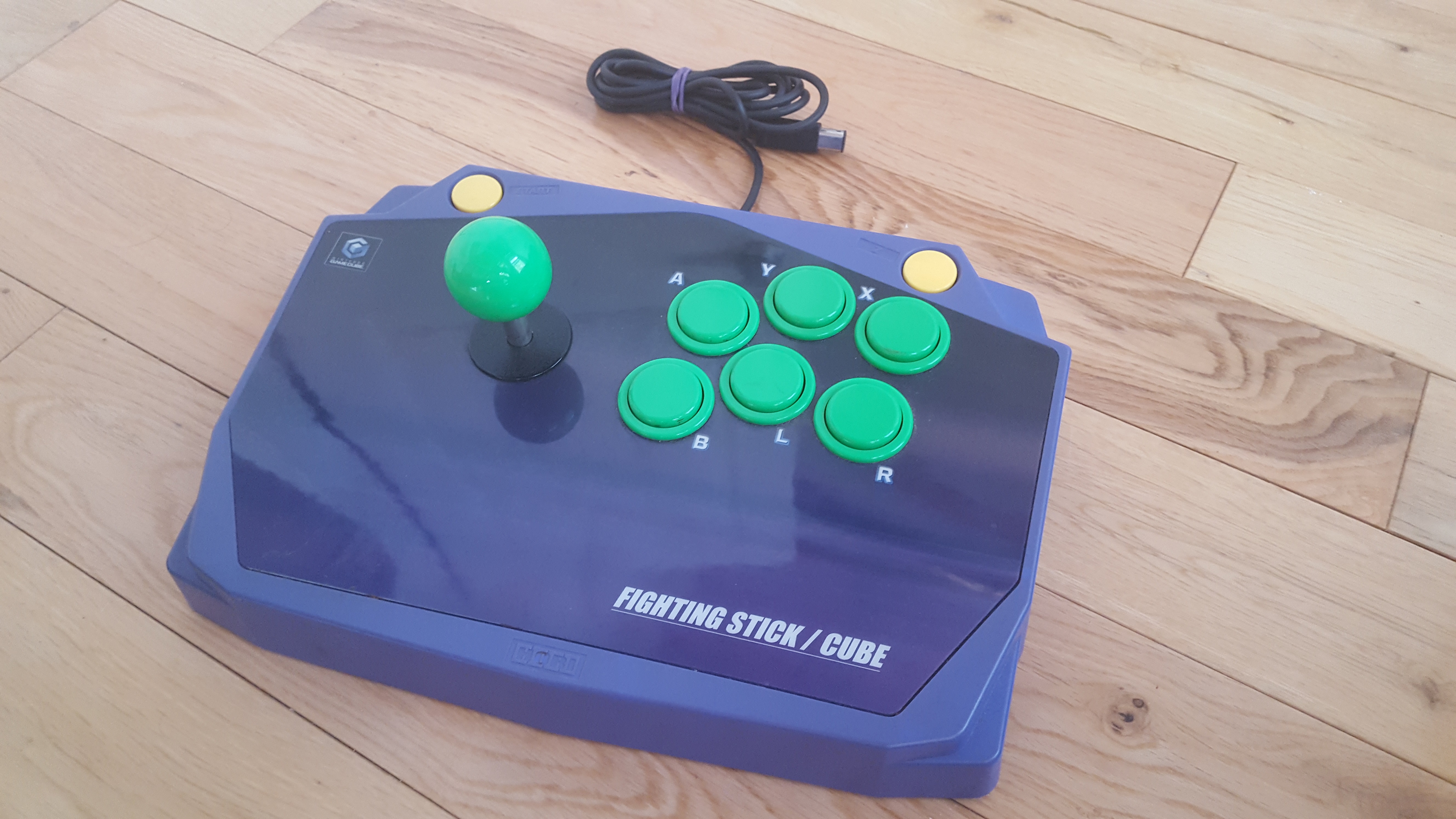
An arcade stick looks like a shortcut to cleaner inputs: a heavy case, a large lever and a row of buttons. It cannot read intent or add frames to a game. It changes how far each hand travels and which fingers share the work.
Begin with three questions: where will you play, which motion actually fails, and will you practise a new layout long enough? Compatibility and specifications below were verified on 12 November 2026; comfort and performance judgements are labelled analysis.
Hardware does not grant free speed
A pad puts directions under one thumb and face buttons under the other. A stick gives the left hand a lever and spreads attacks across right-hand fingers. Leverless boards turn directions into separate buttons.
Any layout may clarify an input for one player and slow another. Record twenty attempts in training mode. A repeatable result is more useful than a five-minute impression.
Compatibility comes before button art
PlayStation lists licensed fight sticks for PS5. HORI says the named Fighting Stick Alpha supports PS5, PS4 and Windows. That is evidence for that model, not every USB stick or every game.
Match the platform name exactly, then check the game's controller support, connection, cable, headset port and lock switch. A marketplace title saying console/PC is not enough.
Lever or leverless is a physical choice
A lever provides arcade-like travel and feedback. Leverless can reduce wrist travel for some people but asks for different muscle memory and may not suit hands that dislike holding several direction buttons.
Tournament rules are not permanent product labels. Capcom's archived 2023 policy addressed opposite directions and prohibited macros and turbo in its events. It does not prove a 2026 season rule; read the exact event rules before entering.
Maintenance belongs in the price
HORI documents that Alpha opens for access to its parts and replaceable artwork. That helps repair and customisation but does not guarantee local parts or make modifications necessary.
Check footprint, lap width, non-slip base, connector type, cable replacement and access to buttons. A front photo cannot tell you whether the case edge is comfortable after an hour.
Run a one-week test first
Choose three failing actions: quarter-circle, charge direction and a two-button press, for example. Log twenty attempts on your current pad. If possible, try a similar layout for thirty minutes through a friend, demo unit or a keyboard in a PC game that supports it.
Watch accuracy and fatigue, not the best attempt. New hardware will not repair matchup reading or timing. It may help when finger crowding, layout or maintainability is the real problem.
PLAYLORE FIT MATRIX
Choose from the problem, not the prestige
Compare the real use before the brand.| Gamepad | Portable, varied play | Thumbs carry most inputs | Use the controller you own |
|---|---|---|---|
| Lever stick | Separated attacks, arcade feel | Larger movement and case | Verify platform and game |
| Leverless | Separate direction fingers | New learning and event rules | Verify direction handling |
| Keyboard | Low-cost PC trial | Not a universal console answer | Verify game support |
BUYING CHECK
Nine-point buying check
- Name the platform and game.
- Check the maker's page.
- Try thirty minutes if possible.
- Measure desk or lap space.
- Check weight and grip.
- Decide on headset and lock needs.
- Check repair access and parts.
- Read event rules before competing.
- Keep budget for games and practice.
Related
Two categories to compare after testing
General Amazon.sa searches. No retailer images, price or availability claims; commission does not set the recommendation.
Platform-licensed fight stick
Match the exact model, platform and game to the manufacturer's page.
Compare on Amazon.saFight-stick carrying case
Measure the controller and protect the cable and buttons from pressure.
Compare on Amazon.saAs an Amazon Associate I earn from qualifying purchases.
Sources
Sources and verification log
Checked 12 November 2026. Platform and maker pages support compatibility; the archived Capcom page only supports the advice to check each event. No rumour informs the verdict.PLAYLORE VERDICT
Buy a layout you will practise
A stick earns its space when it solves a named comfort, finger-layout or maintenance problem and works with your platform and game.
If you cannot name the problem, make training mode the first upgrade. Twenty correct inputs on the pad you own beat the silhouette of professional gear.